> For the complete documentation index, see [llms.txt](https://docs.betterbuilding.io/llms.txt). Markdown versions of documentation pages are available by appending `.md` to page URLs; this page is available as [Markdown](https://docs.betterbuilding.io/sign-up-and-plans/news-and-updates/2026/3d-building-geometry-creator-v1.3-is-out.md).
# 3D Building Geometry Creator V1.3 Is Out
We spent some of the Christmas period squashing bugs and adding features to the 3D Building Geometry Creator. Version 1.3 shipped this week.
For those with an interest in ultra-fast, ultra-efficient design workflows, we can honestly say that this new workflow is not just great, but a testament to how building should be designed.
#### What is this tool?
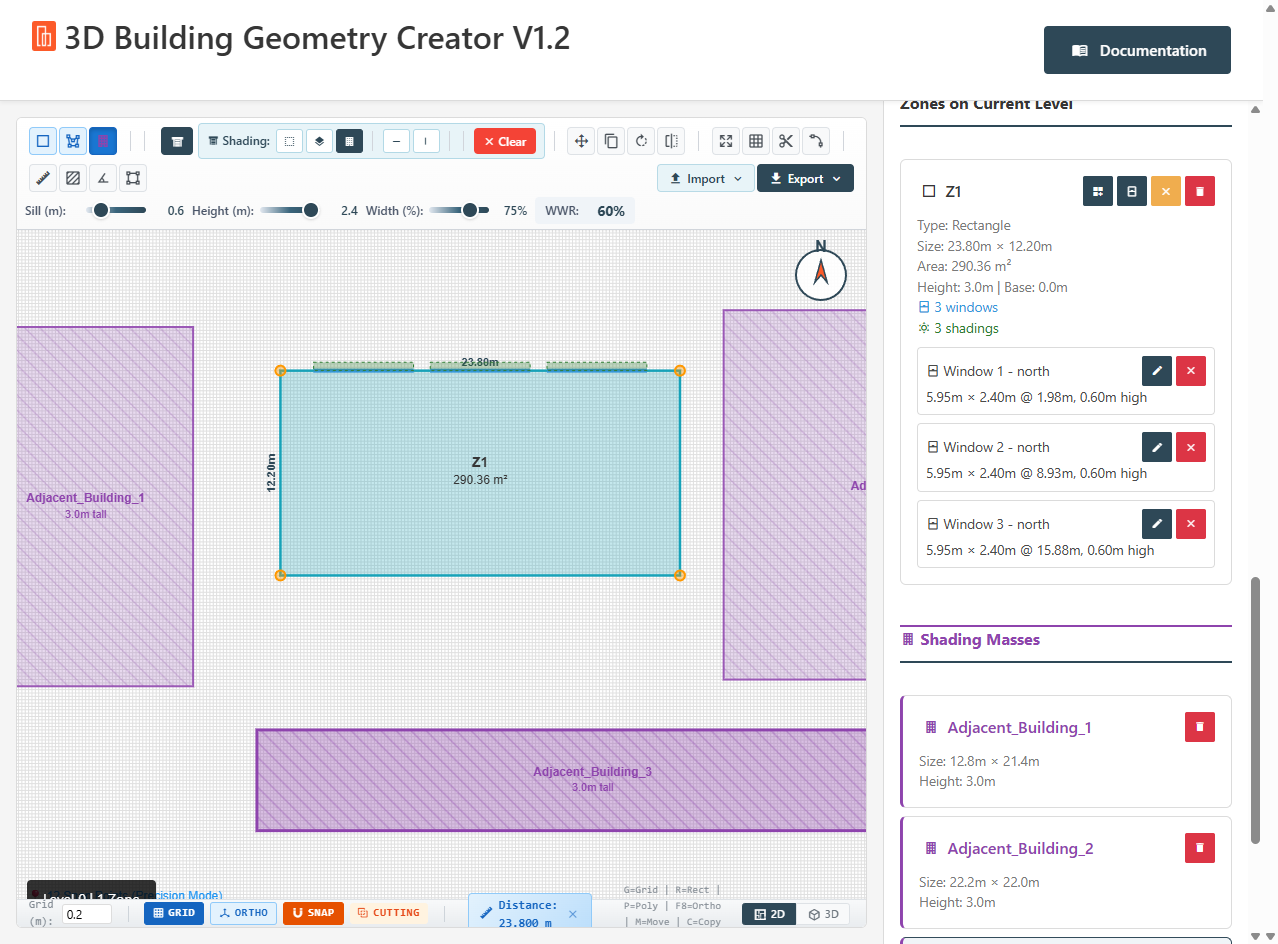
The Building Geometry Creator is a comprehensive web-based 3D building modeling tool designed for energy simulation workflows. It enables architects, engineers, and energy modelers to quickly create multi-level building geometry with thermal zones, windows, shading devices, and proper formatting for energy analysis software.
The tool bridges the gap between conceptual design and detailed energy modeling by providing an intuitive 2D drawing interface that automatically generates 3D geometry.
#### What's New in V1.3
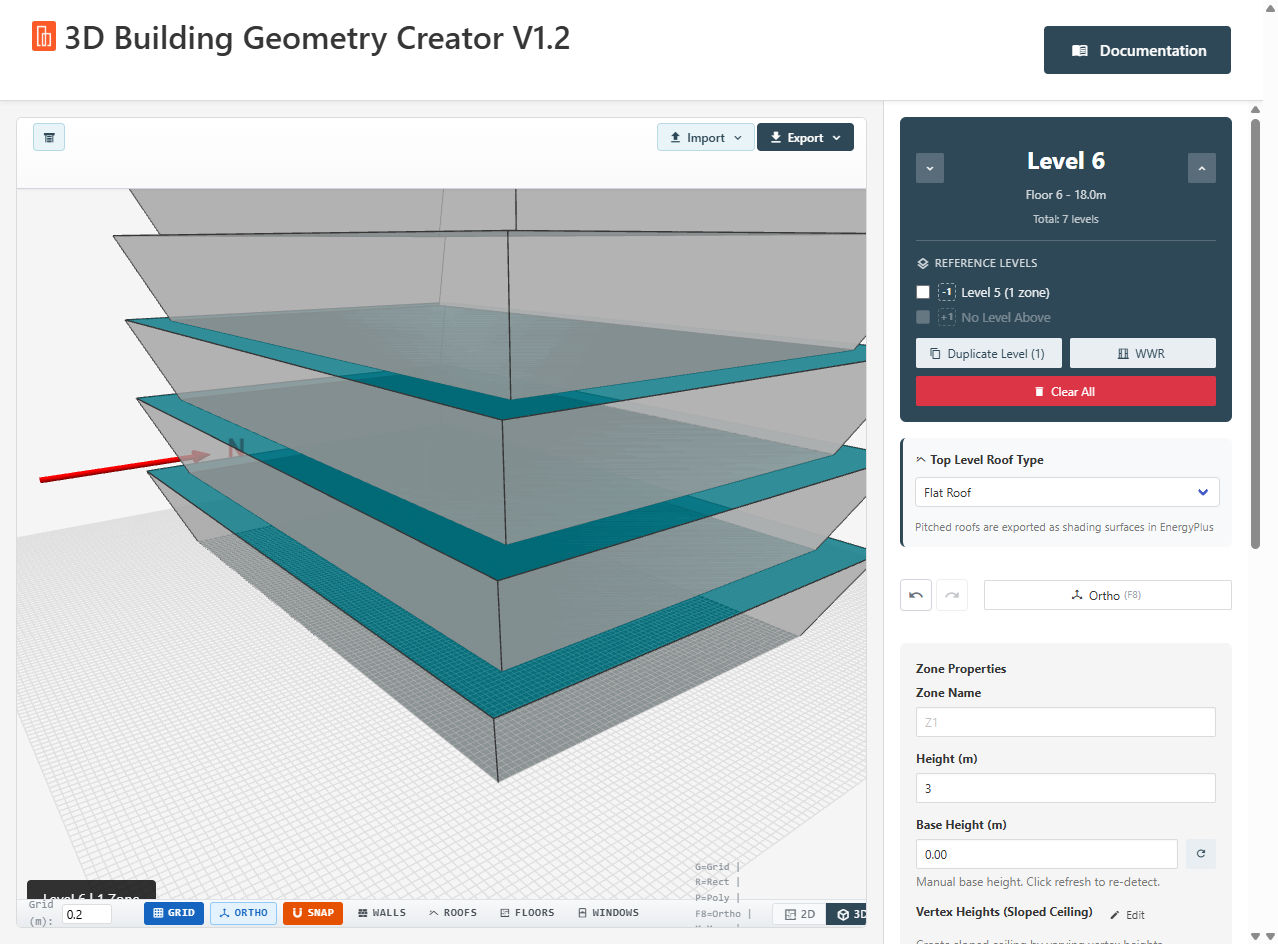
The big addition to V 1.3 is complex geometry support. Angled walls, sloped ceilings, and shading devices that actually follow tilted surfaces. The kind of geometry that typically requires manual vertex editing or multiple software packages now generates automatically from a 2D floor plan.
**Angled Walls.** Walls can lean inward or outward at configurable angles. Useful for tapered towers, pyramidal forms, or any building with non-vertical facades. The system calculates roof vertex offsets automatically where tilted walls meet at corners.
**Sloped Ceilings.** Set different heights at each vertex of a zone. Wall heights interpolate correctly, and roofs triangulate automatically for EnergyPlus export—no more coplanar surface errors.
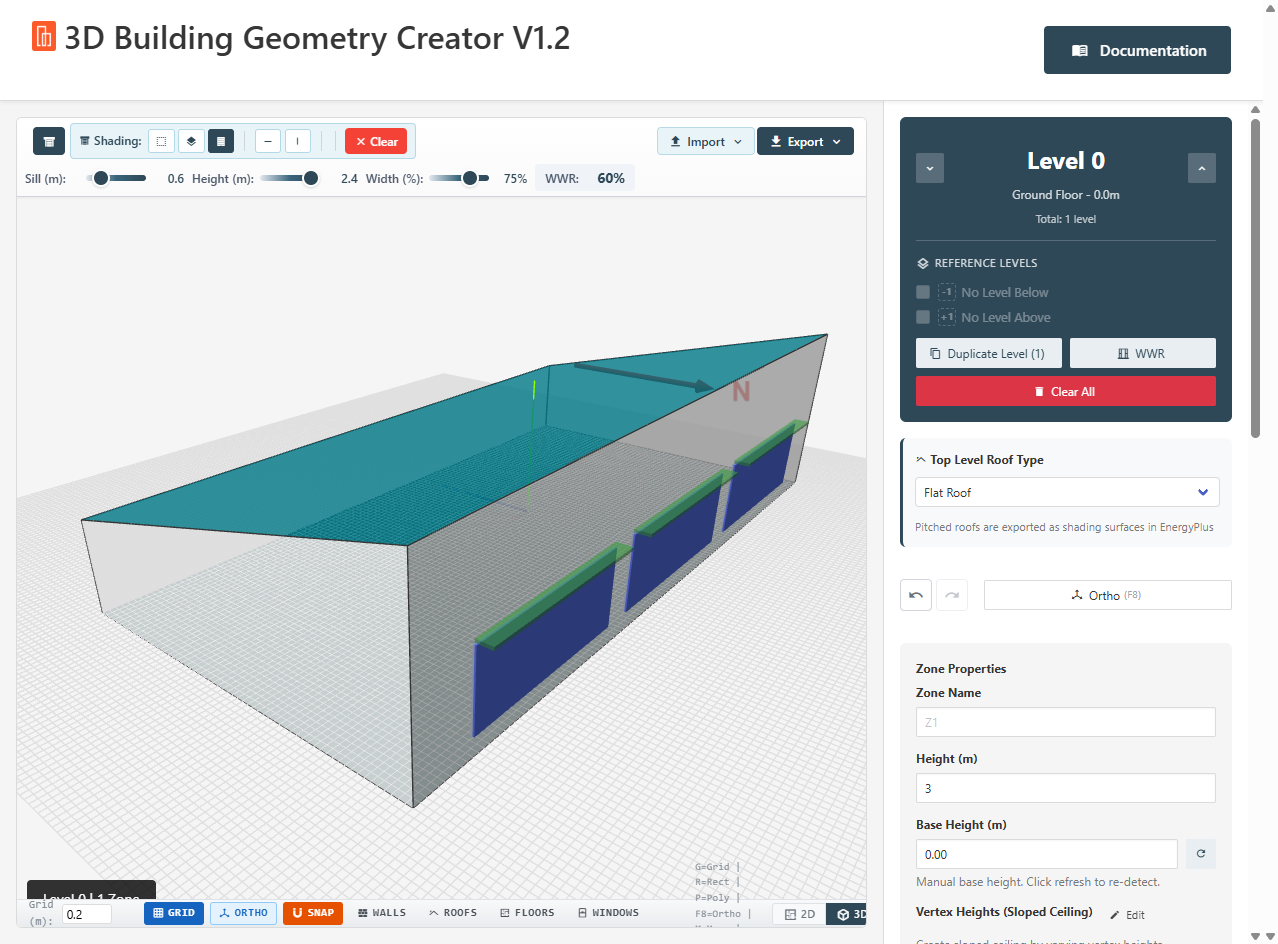
**Shading That Follows the Geometry.** Overhangs and fins now position correctly on angled walls. Previous versions exported shading at the base wall position regardless of tilt, which caused them to appear inside the building when viewed in EnergyPlus. Fixed.
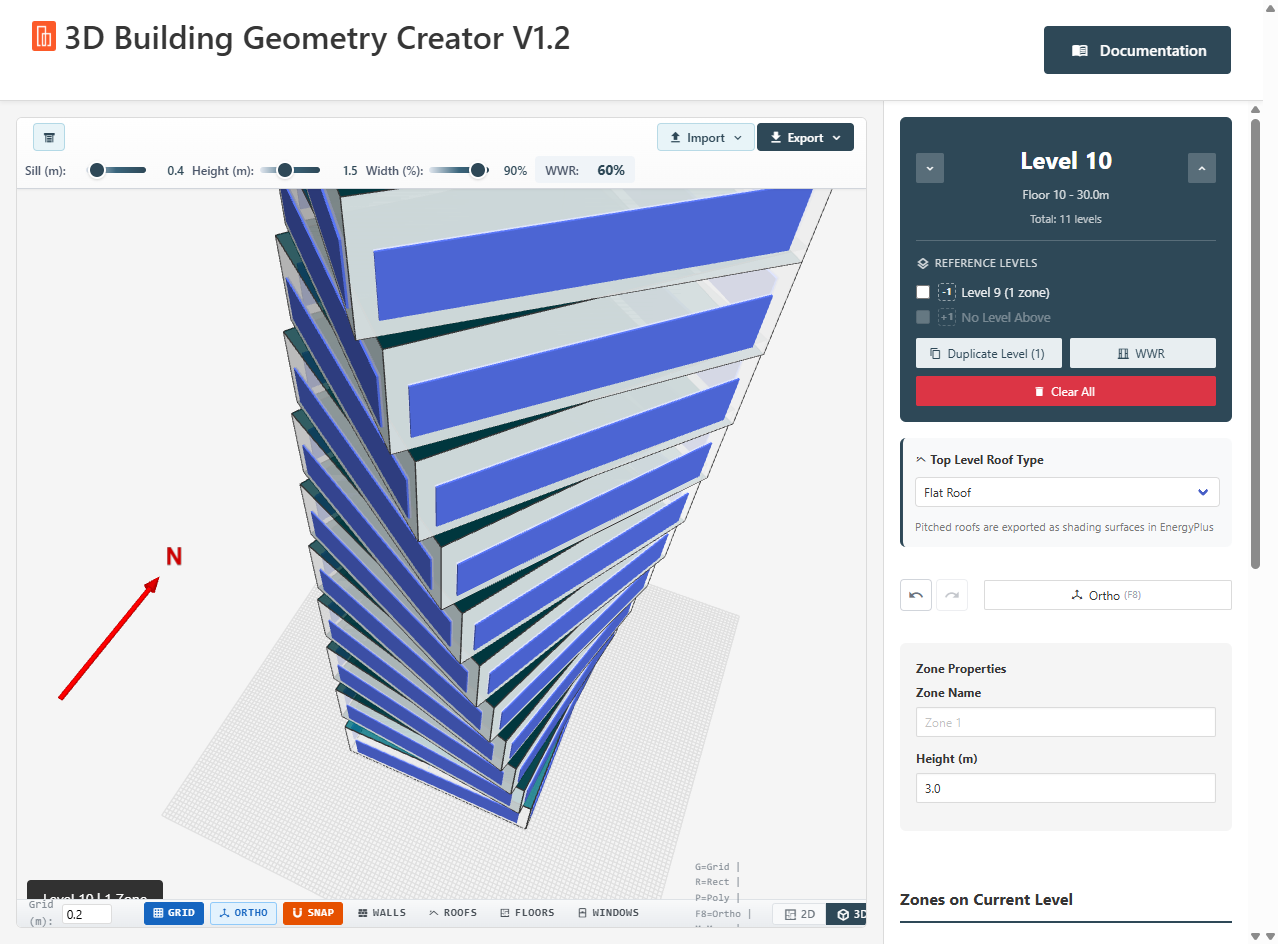
**Rotation.** You can now duplicate and rotate. The results make very light work of complex geometry.
**Windows on Tilted Surfaces.** Windows tilt to match angled walls and export with correct vertex coordinates.
#### What We Added in V1.2
For those who missed it, V1.2 brought a substantial set of workflow improvements:
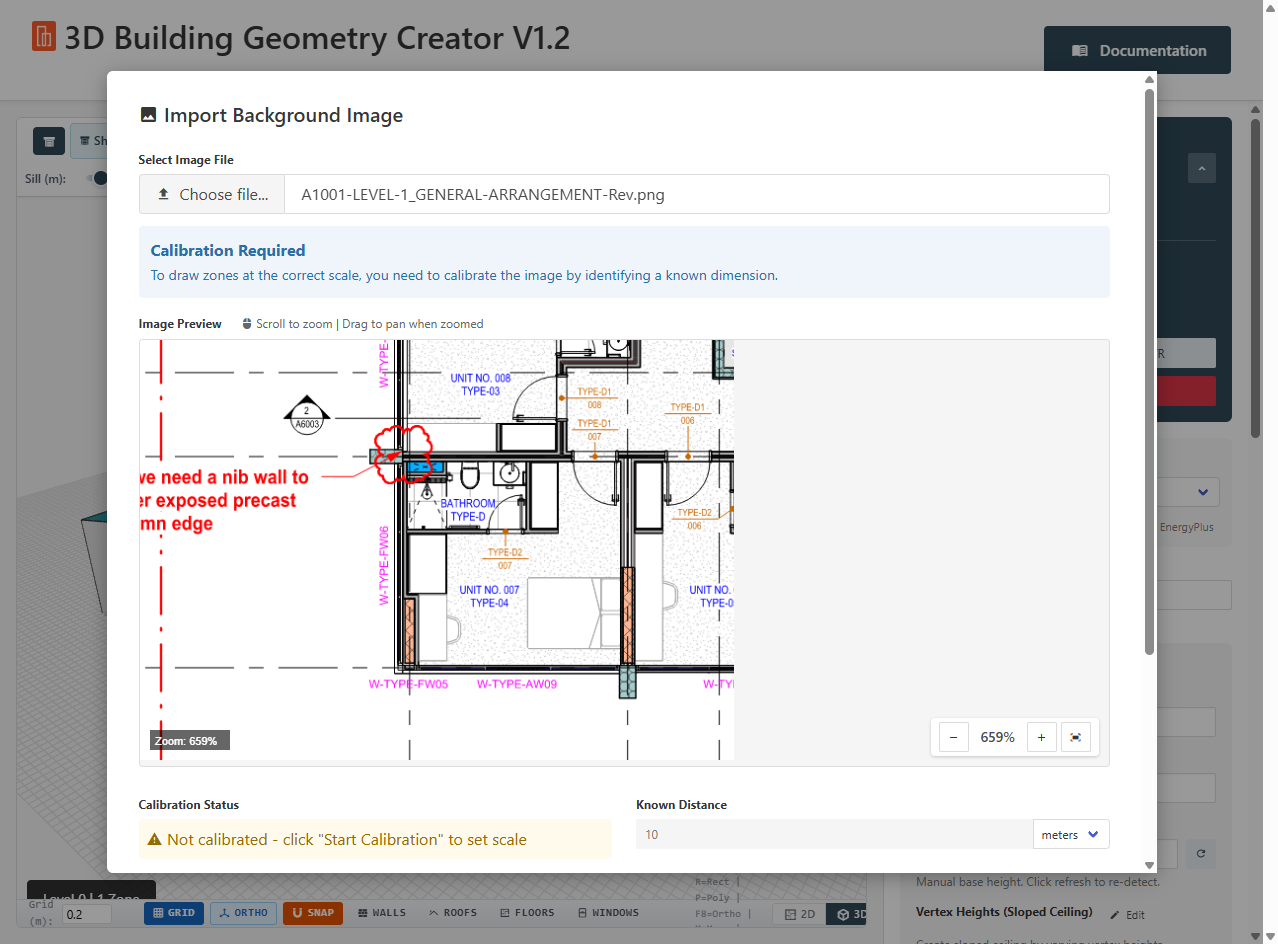
**Underlays.** Import PNG, DXF, or SVG files as background traces. Calibrate scale by clicking two points and entering the known distance. Trace over architectural drawings directly in the 2D view.
**Shading Masses.** Draw adjacent buildings and external objects for context. They export as shading surfaces so your energy model accounts for overshadowing from neighbouring structures.
**Transform Tools.** Move, copy, rotate, mirror, offset, array, split, and fillet. Select zones and transform them without redrawing.
**Measure Tools.** Point-to-point distance, area calculation, angle measurement, perimeter length. The basics you need when working from drawings.
**Zone Cutting Mode.** New zones automatically cut through existing zones when enabled. Prevents overlapping geometry without manual cleanup.
**Reference Levels.** Ghost layers showing zones from the level above or below. Helps with vertical alignment across floors.
**Ortho Mode.** Constrain drawing to horizontal and vertical lines. Press F8 to toggle.
#### Why It Matters?
The 2D-to-3D workflow is where this gets interesting. Draw a floor plan, apply wall angles, duplicate the level 39 times, and you have a 40-story tapered tower with windows and shading geometry that would normally take hours or days of manual work.
A few minutes for a 40-story building isn't an exaggeration. It's what happens when the tool handles the repetitive geometry calculations instead of you and is designed for purpose, not a plugin to more complex processes.
#### The Tool
Browser-based, runs offline, no installation, exports to EpJSON for EnergyPlus. Handles multi-level buildings, automatic WWR glazing, perimeter/core splitting, DXF/SVG/PNG import, transform tools, measure tools, and now complex angled geometry.
It's powerful. It's free. It's super fun to use.
**Download V1.3:** [3D Building Geometry Creator](https://docs.betterbuilding.io/user-guide/tools-and-plugins/3d-building-geometry-creator)
---
# Agent Instructions
This documentation is published with GitBook. GitBook is the documentation platform designed so that both humans and AI agents can read, navigate, and reason over technical content effectively. Learn more at gitbook.com.
## Querying This Documentation
If you need additional information that is not directly available in this page, you can query the documentation by asking a question.
Perform an HTTP GET request on the following URL with the `ask` and `goal` query parameters:
```
GET https://docs.betterbuilding.io/sign-up-and-plans/news-and-updates/2026/3d-building-geometry-creator-v1.3-is-out.md?ask=&goal=
```
`ask` is the immediate question: it should be specific, self-contained, and written in natural language.
`goal` is what the user is ultimately trying to achieve, the reason they need the answer. Sharing it helps GitBook give you a better, more relevant answer. A goal is most helpful when it describes the outcome the user wants rather than restating the question. For example, with `ask=how do I create an API token`, a goal like `automate deployments from our CI pipeline` lets GitBook tailor the answer to that use case.
The response will contain a direct answer to the question and relevant excerpts and sources from the documentation.
Use this mechanism when the answer is not explicitly present in the current page, you need clarification or additional context, or you want to retrieve related documentation sections.