> For the complete documentation index, see [llms.txt](https://docs.betterbuilding.io/llms.txt). Markdown versions of documentation pages are available by appending `.md` to page URLs; this page is available as [Markdown](https://docs.betterbuilding.io/user-guide/workflows/dew-point/internal-conditions.md).

# Internal Conditions

## Temperature Mode

### Fixed

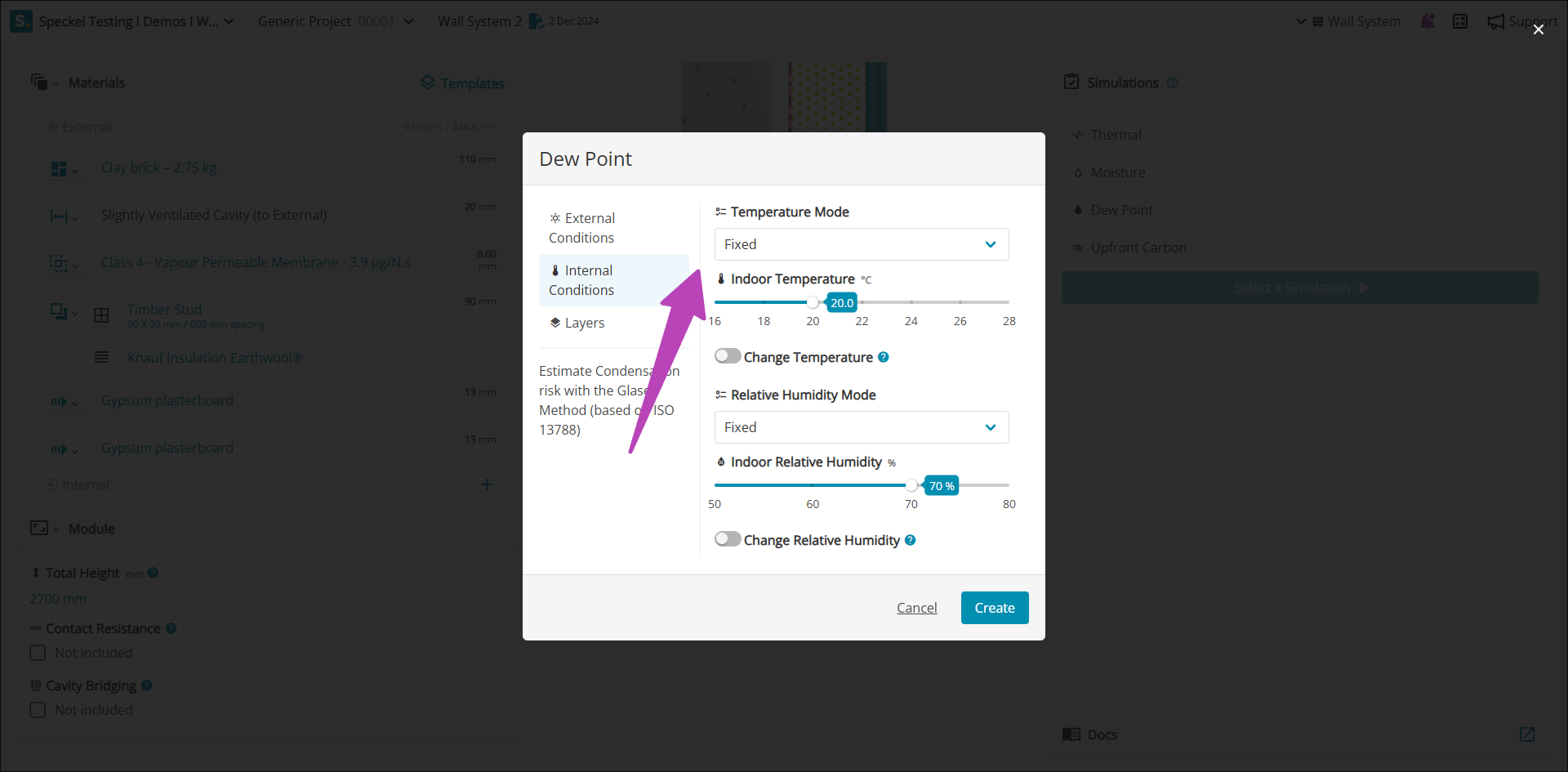
<figure><img src="/files/mU0ItSeDmxw7vfK5GfBB" alt=""><figcaption></figcaption></figure>

The default 'Fixed', assumes the indoor temperature is maintained at 20 °C.&#x20;

### A.1 ‘Continental’ and tropical climates

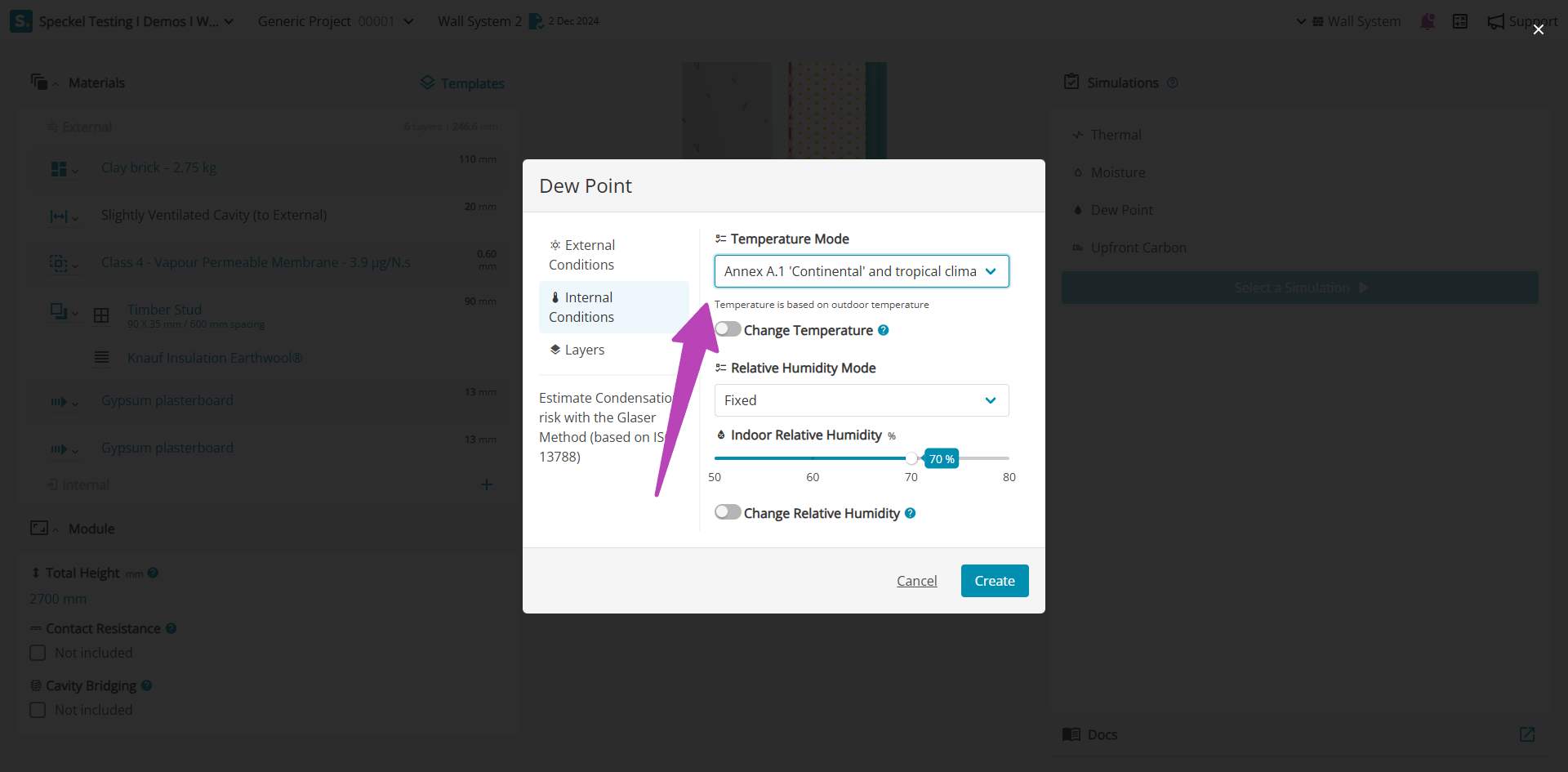
<figure><img src="/files/DuEkc5ofVDzuLj3OPcsn" alt=""><figcaption></figcaption></figure>

In cases where internal air conditions are undefined, a simplified method may be applied to estimate internal temperature based on external air temperature. Internal air conditions are sourced from the climate file for the location automatically, providing the daily mean external air temperature applicable to 'Continental' and tropical climates.

Where a more conservative assumption is required associated to the internal temperature, it can be modified under 'Change Temperature', shifting the indoor climate by the stated value. For example, a -2.0 °C will modify the climate file for the location, resulting in lower internal temperatures.&#x20;

## Relative Humidity Mode

### Fixed

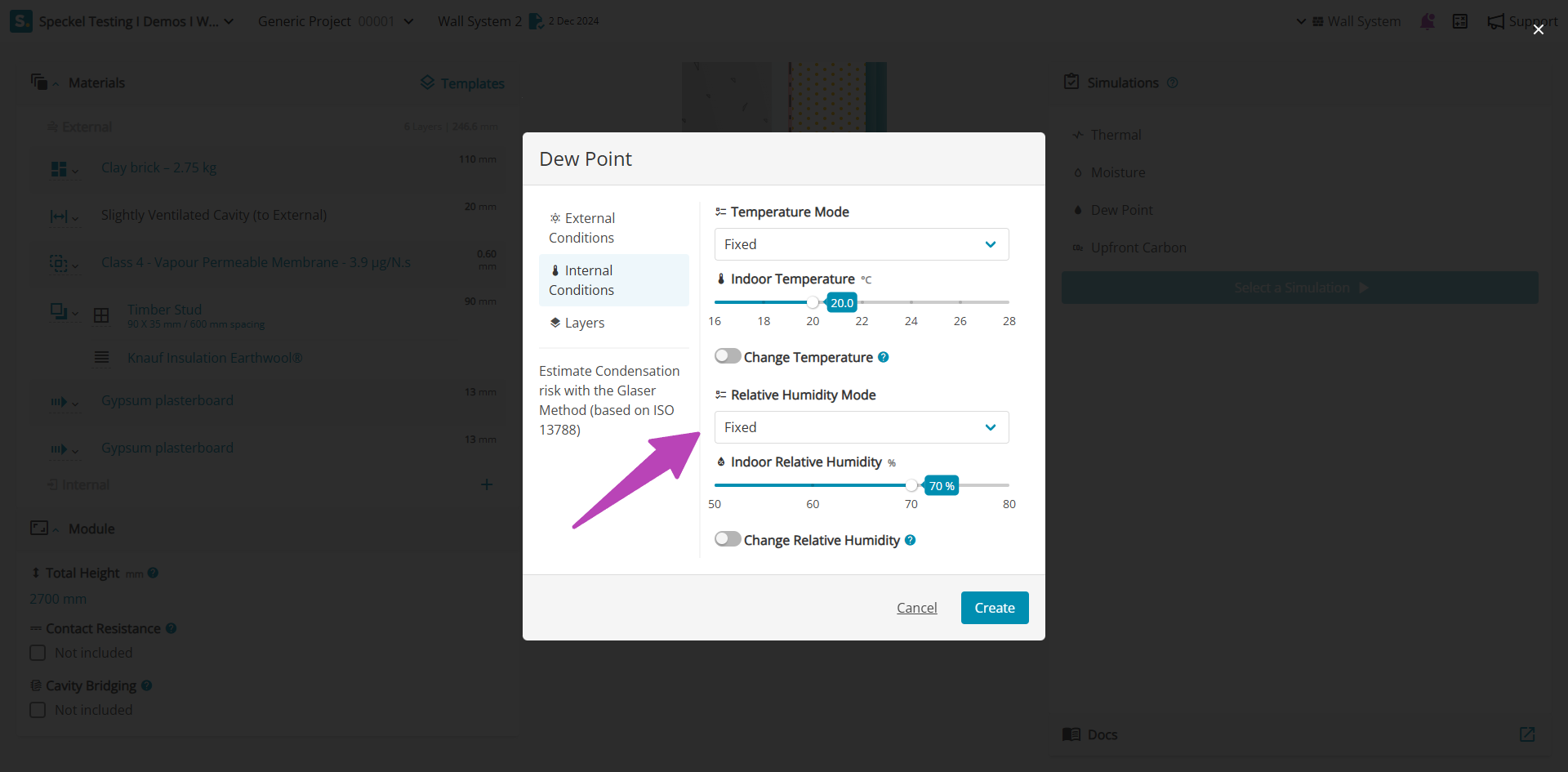
<figure><img src="/files/ILPGXvCwTzHHH7TuEoyY" alt=""><figcaption></figcaption></figure>

The default 'Fixed', assumes the indoor relative humidity is maintained at 70% RH.&#x20;

### A.1 ‘Continental’ and tropical climates

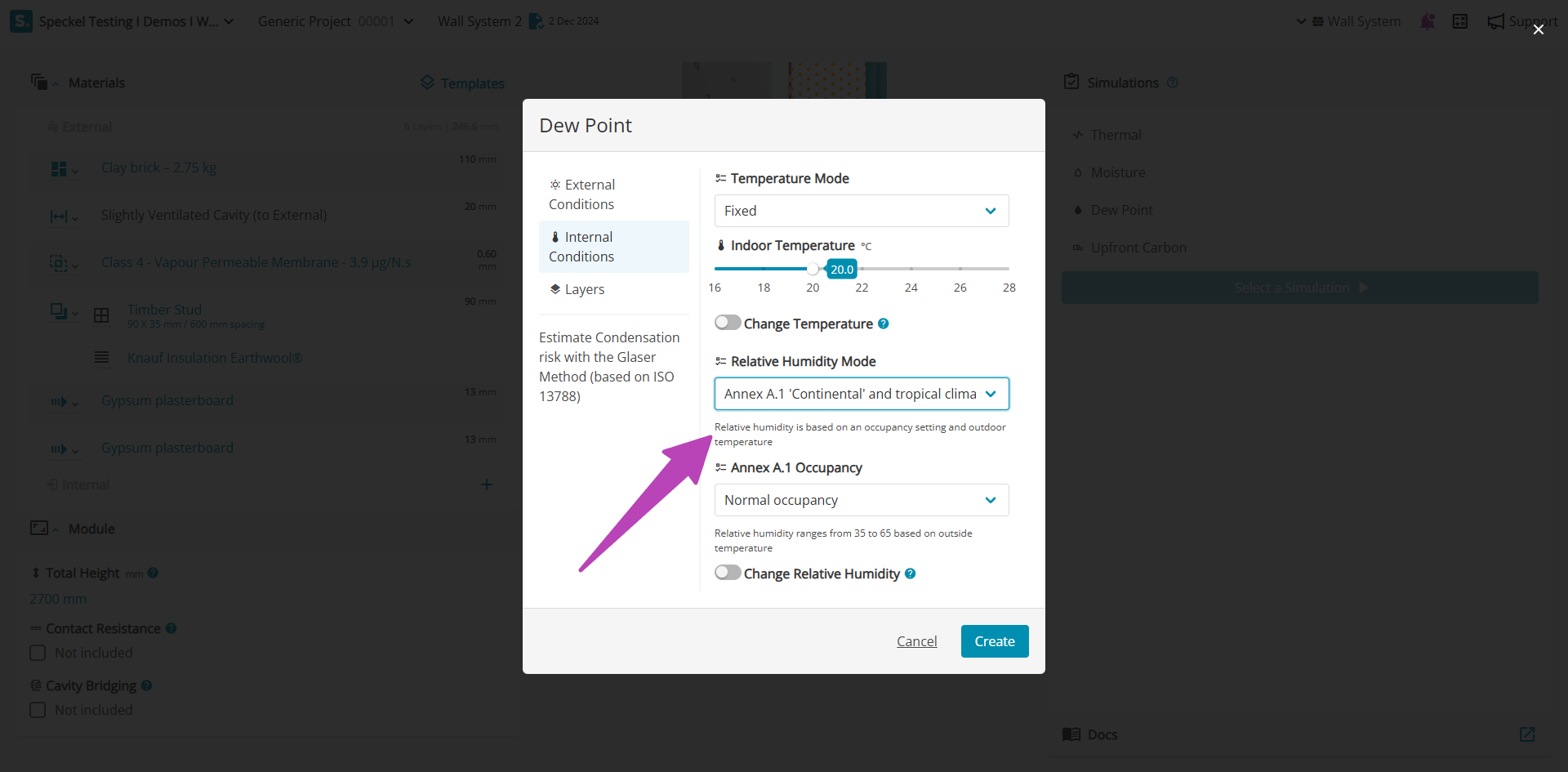
<figure><img src="/files/I4um3JxwwomOTgLg765k" alt=""><figcaption></figcaption></figure>

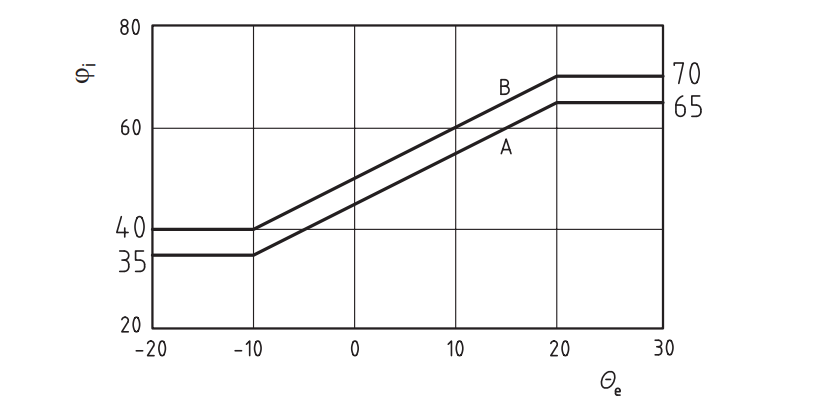
In cases where indoor  air conditions are undefined, a simplified method may be applied to estimate indoor relative humidity based on external air humidity. The indoor relative humidity level is selected according to the expected occupancy of the building, being either 'Normal occupancy' (A) or 'High occupancy' (B), as per the chart below.

<figure><img src="/files/x1bOCjaFaUBRu3MdY2Uo" alt="" width="563"><figcaption></figcaption></figure>

Where a more conservative assumption is required associated to the indoor relative humidity, it can be modified under 'Change Relative Humidity', shifting the indoor climate by the stated value. For example, a +5%  will modify the climate file for the location increasing all data points by 5%, resulting in higher indoor relative humidity.

### A.2 Maritime climates

<figure><img src="/files/bBcwK3smj4pNt46G74rK" alt=""><figcaption></figcaption></figure>

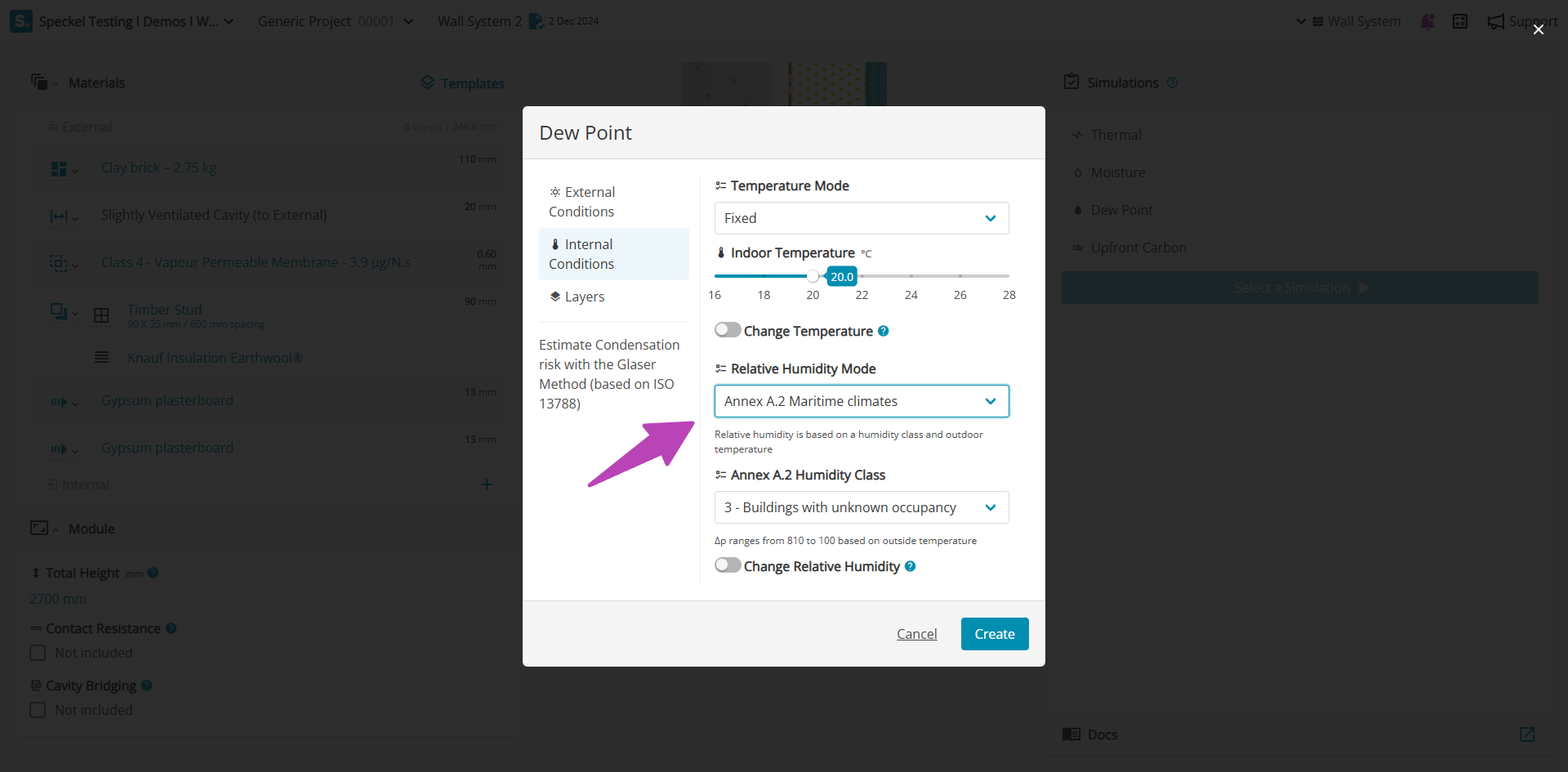
According to A.2 Maritime climates, internal humidity loads are categorised into five humidity classes, as per ISO 13788 Table A.1 — Internal humidity classes. The selected humidity class sets limit values for Δv (humidity ratio) and Δp (vapour pressure) based on measurements from buildings in Western Europe. . For calculations, it is recommended to use the upper limit of each class unless the designer can substantiate less severe conditions.&#x20;

<table><thead><tr><th width="160">Humidity Class</th><th width="349">Building Type</th><th>Humidity loads</th></tr></thead><tbody><tr><td>1</td><td>Unoccupied buildings, storage of dry goods</td><td>Very low</td></tr><tr><td>2</td><td>Offices, dwellings with normal occupancy and ventilation</td><td>Low</td></tr><tr><td>3</td><td>Buildings with unknown occupancy</td><td>Typical</td></tr><tr><td>4</td><td>Sports halls, kitchens, canteens</td><td>High </td></tr><tr><td>5</td><td>Special buildings, e.g. laundry, brewery, swimming pool</td><td>Very high</td></tr></tbody></table>

Where a more conservative assumption is required associated to the indoor relative humidity, it can be modified under 'Change Relative Humidity', shifting the indoor climate by the stated value. For example, a +5%  will modify the climate file for the location increasing all data points by 5%, resulting in higher indoor relative humidity.


---

# Agent Instructions
This documentation is published with GitBook. GitBook is the documentation platform designed so that both humans and AI agents can read, navigate, and reason over technical content effectively. Learn more at gitbook.com.

## Querying This Documentation
If you need additional information that is not directly available in this page, you can query the documentation dynamically by asking a question.

Perform an HTTP GET request on the current page URL with the `ask` query parameter, and the optional `goal` query parameter:

```
GET https://docs.betterbuilding.io/user-guide/workflows/dew-point/internal-conditions.md?ask=<question>&goal=<endgoal>
```

`ask` is the immediate question: it should be specific, self-contained, and written in natural language.
`goal` is optional and describes the broader end goal you are ultimately trying to accomplish on behalf of the user. GitBook uses it to tailor the answer towards what is most useful for that goal.

The response will contain a direct answer to the question and relevant excerpts and sources from the documentation.

Use this mechanism when the answer is not explicitly present in the current page, you need clarification or additional context, or you want to retrieve related documentation sections.
