> For the complete documentation index, see [llms.txt](https://docs.betterbuilding.io/llms.txt). Markdown versions of documentation pages are available by appending `.md` to page URLs; this page is available as [Markdown](https://docs.betterbuilding.io/user-guide/workflows/designer-mode/airflow-networks/airflow-network-settings.md).
# Airflow Network Settings
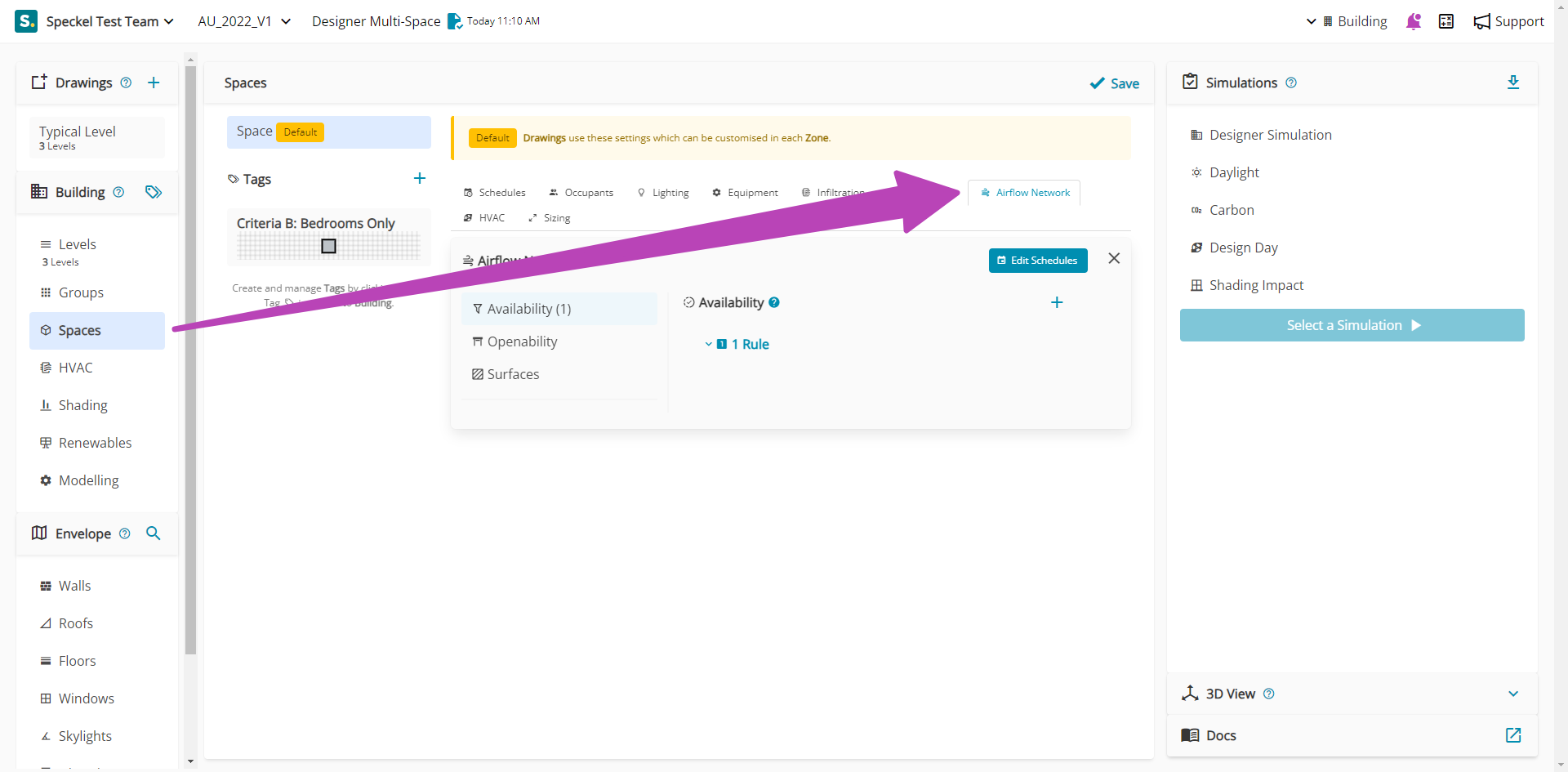
Under the Airflow Network settings, key inputs are available that enable the nomination of your model to be adapted from a standard energy model.
{% hint style="info" %}
To use the Airflow Network, ensure the Network Control is enabled.
{% endhint %}
## Availability
### Rules
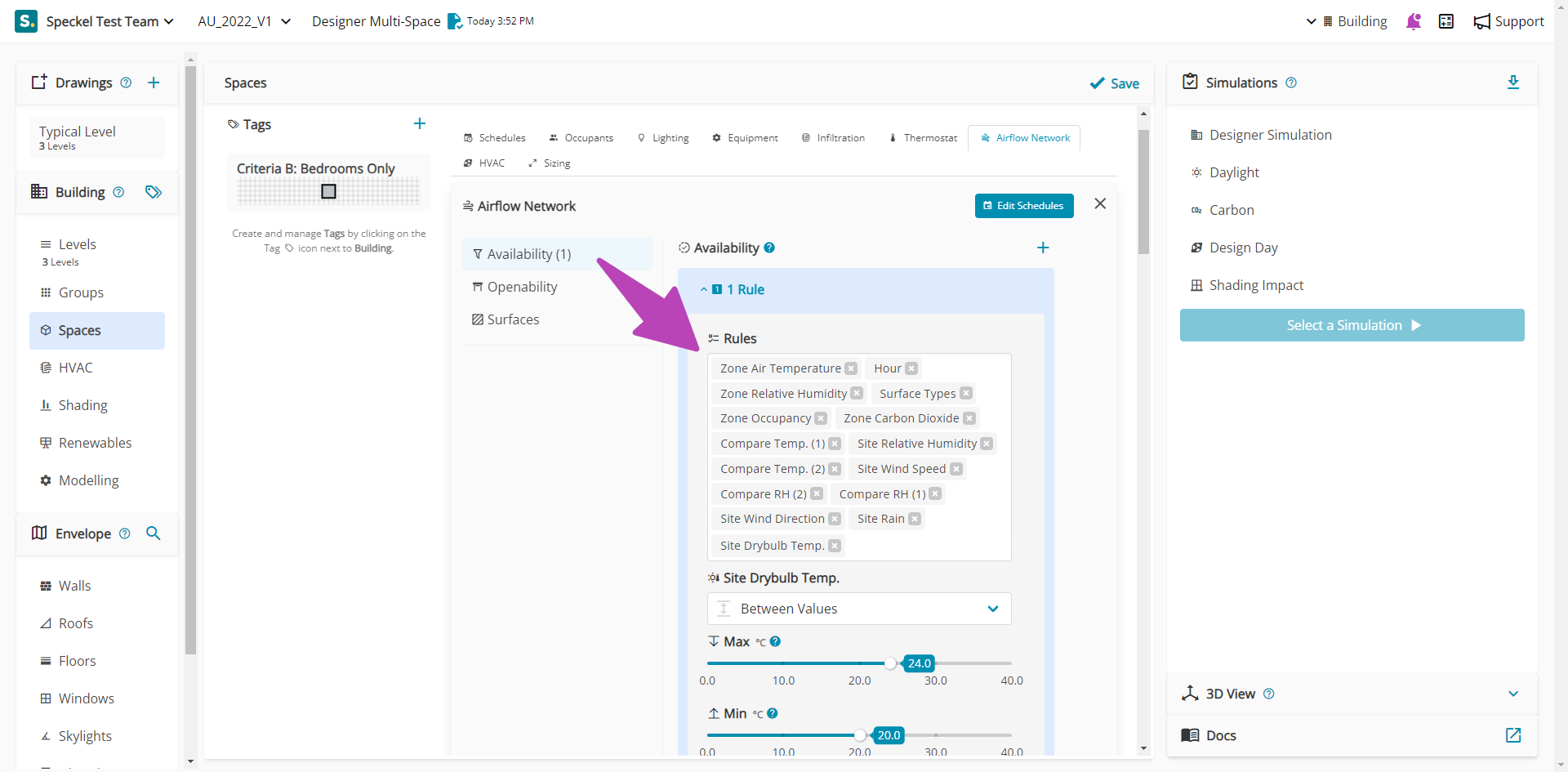
Rules are the logic which grant ventilation availability to your Space. You can have one or more Rule set per Space, controlled by a Schedule to assume the overall time in which these conditions are evaluated. The following Rules are available:
* Zone Air Temperature
* Hour
* Zone Relative Humidity
* Surface Types
* Zone Occupancy
* Zone Carbon Dioxide
* Compare Temp. (1)
* Site Relative Humidity
* Compare Temp. (2)
* Site Wind Speed
* Compare RH (2)
* Compare RH (1)
* Site Wind Direction
* Site Rain
* Site Drybulb Temp.
### Rule Examples
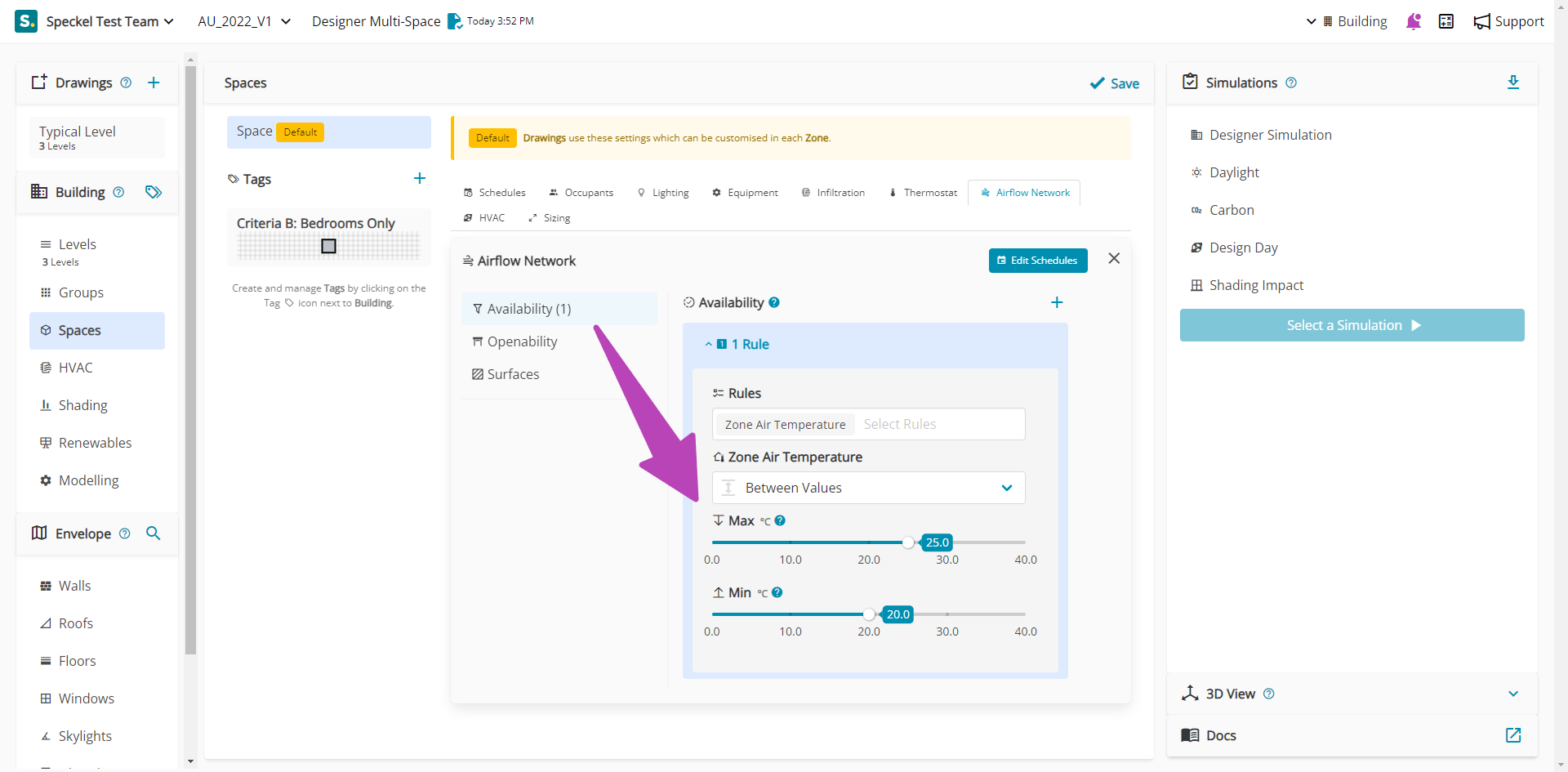
Each Rule has a subsequent list of inputs available to control the Rule. For example, where a Zone Air Temperature is selected, The Zone Air Temperature strategy and temperatures can be selected. In the example below, the Rule states that when the Zone Air Temperature is between a Max of 25 °C and a Min of 20 °C, associated Openings will be available to Open.
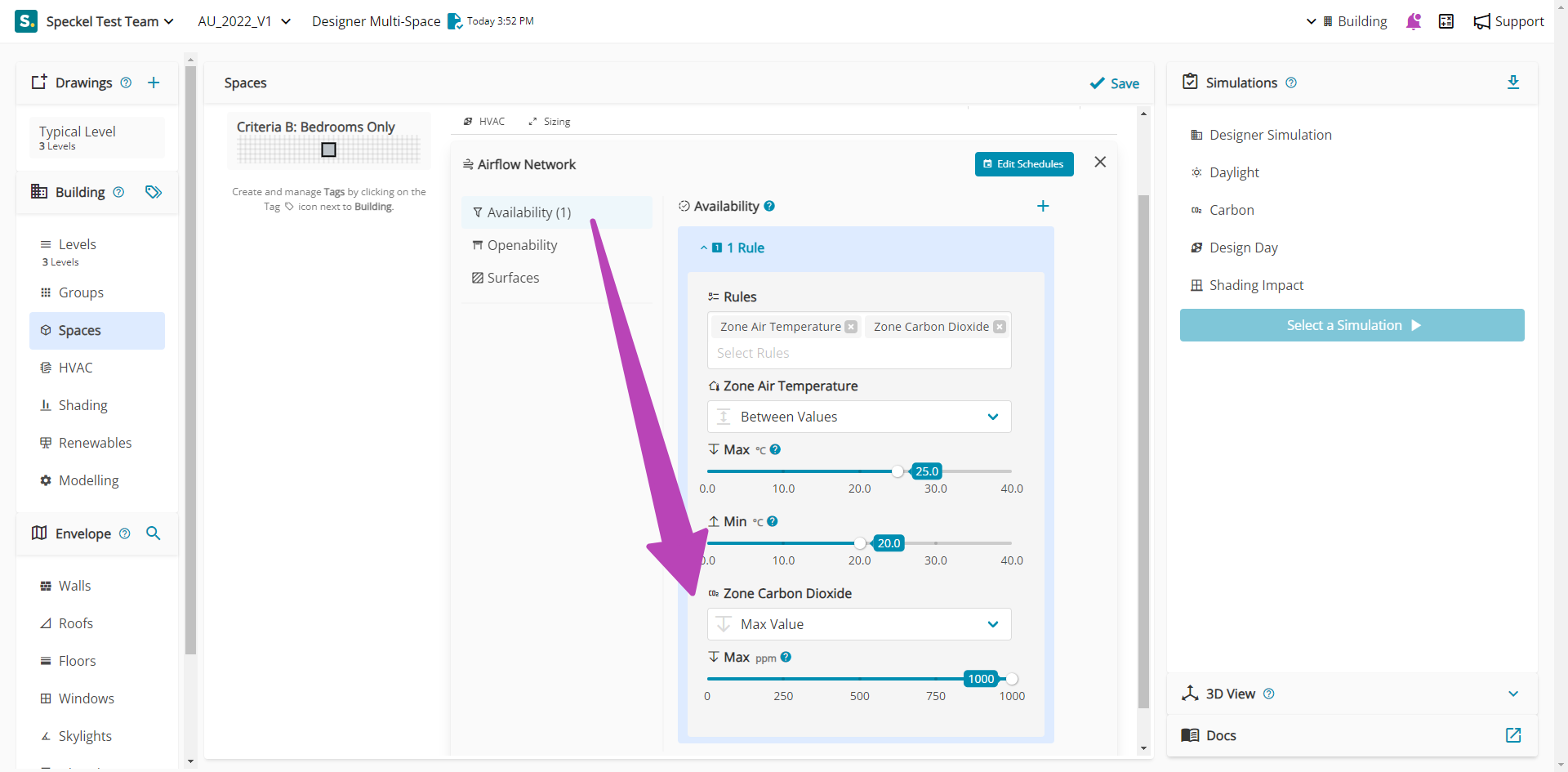
In this second example, Zone Carbon Dioxide has been added as an additional Rule. This Rule states that when the Zone Air Temperature is between a Max of 25 °C and a Min of 20 °C AND Zone Carbon Dioxide has a Max value of 1000 ppm, associated Openings will be available to Open.
### Availability Schedules
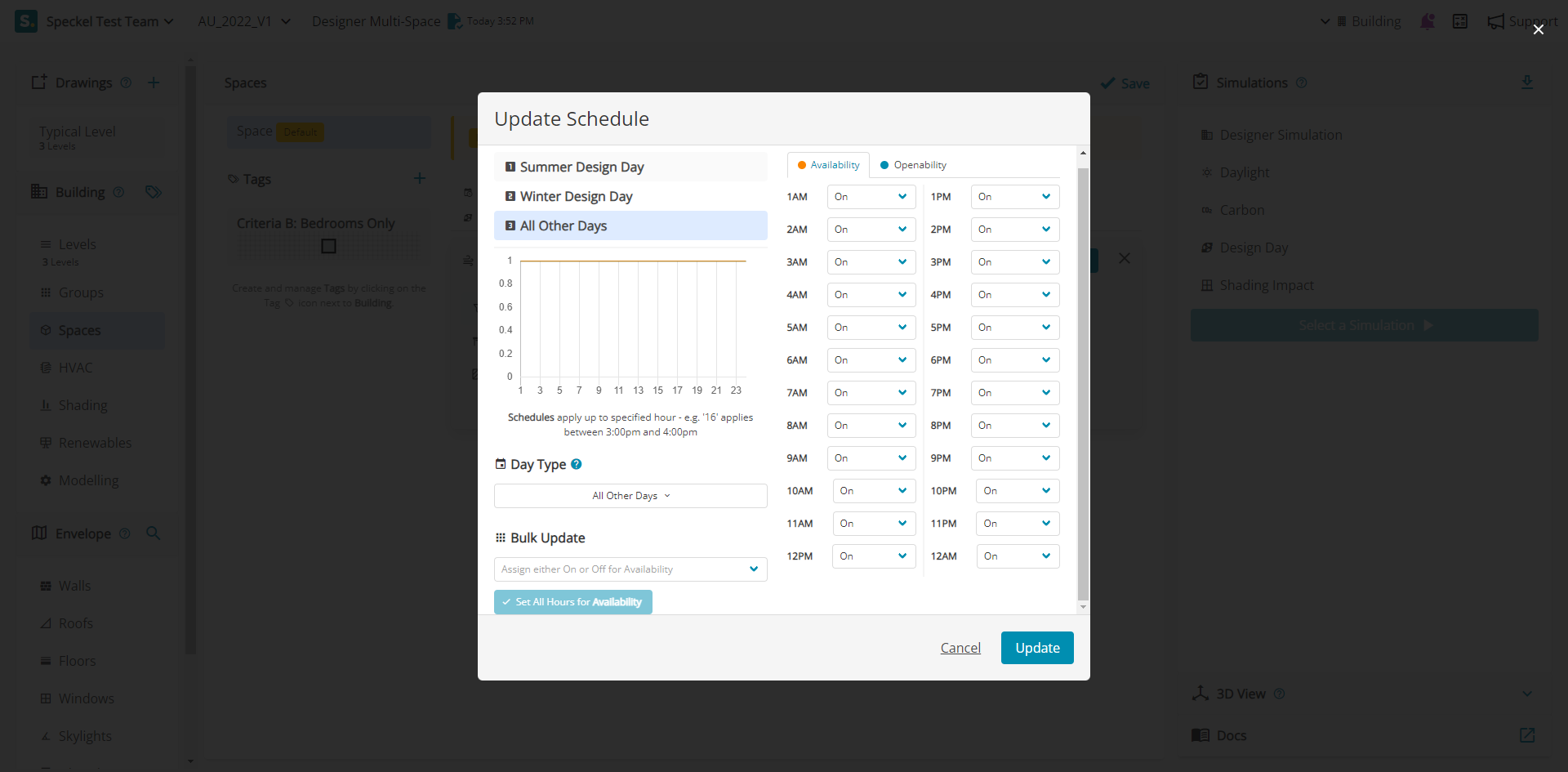
Availability schedules control the overall time in which a Rule can be adopted. They can be set for specific periods of time, such as Design Days, Weekdays, etc. They come in two types, Availability and Openability. The Availability schedule allows a window to be opened each hour, by being either On or OFF. The Openability schedule ....
## Openability
When ventilation is deemed to be available via a Rule, surfaces representing windows and doors can be opened via a Openability Schedule, the Zone Air Temperature or the Zone Thermostat.
### Openability Schedules
Openability schedules control the overall time in which a Rule can be adopted. They can be set for specific periods of time, such as Design Days, Weekdays, etc. They come in two types, Availability and Openability. The Openability schedule allows a window to be opened each hour, by being either On or OFF.
---
# Agent Instructions
This documentation is published with GitBook. GitBook is the documentation platform designed so that both humans and AI agents can read, navigate, and reason over technical content effectively. Learn more at gitbook.com.
## Querying This Documentation
If you need additional information that is not directly available in this page, you can query the documentation by asking a question.
Perform an HTTP GET request on the following URL with the `ask` and `goal` query parameters:
```
GET https://docs.betterbuilding.io/user-guide/workflows/designer-mode/airflow-networks/airflow-network-settings.md?ask=&goal=
```
`ask` is the immediate question: it should be specific, self-contained, and written in natural language.
`goal` is what the user is ultimately trying to achieve, the reason they need the answer. Sharing it helps GitBook give you a better, more relevant answer. A goal is most helpful when it describes the outcome the user wants rather than restating the question. For example, with `ask=how do I create an API token`, a goal like `automate deployments from our CI pipeline` lets GitBook tailor the answer to that use case.
The response will contain a direct answer to the question and relevant excerpts and sources from the documentation.
Use this mechanism when the answer is not explicitly present in the current page, you need clarification or additional context, or you want to retrieve related documentation sections.